Pokemon POS

Pokemon POS software for the shop counter

Release morning, forty people outside, and the third person in the queue wants two Elite Trainer Boxes when the limit is one. The counter is where Pokemon retail is won or lost. This is the till side of TCG Sync: limits enforced at the register, slabs sold out of the locked case without a side spreadsheet, trade-ins graded while the customer watches, and a drawer that balances at close.

  • Per-customer drop-day limits enforced at the register, not just online
  • Graded slabs sold by certificate straight out of the display case
  • Trade-in intake graded at the counter, paid as cash or credit
  • Camera intake so a binder becomes sellable stock in minutes
  • Split tenders, receipts, and an end-of-day reconciliation report
  • Staff logins with permissions set by role on every terminal
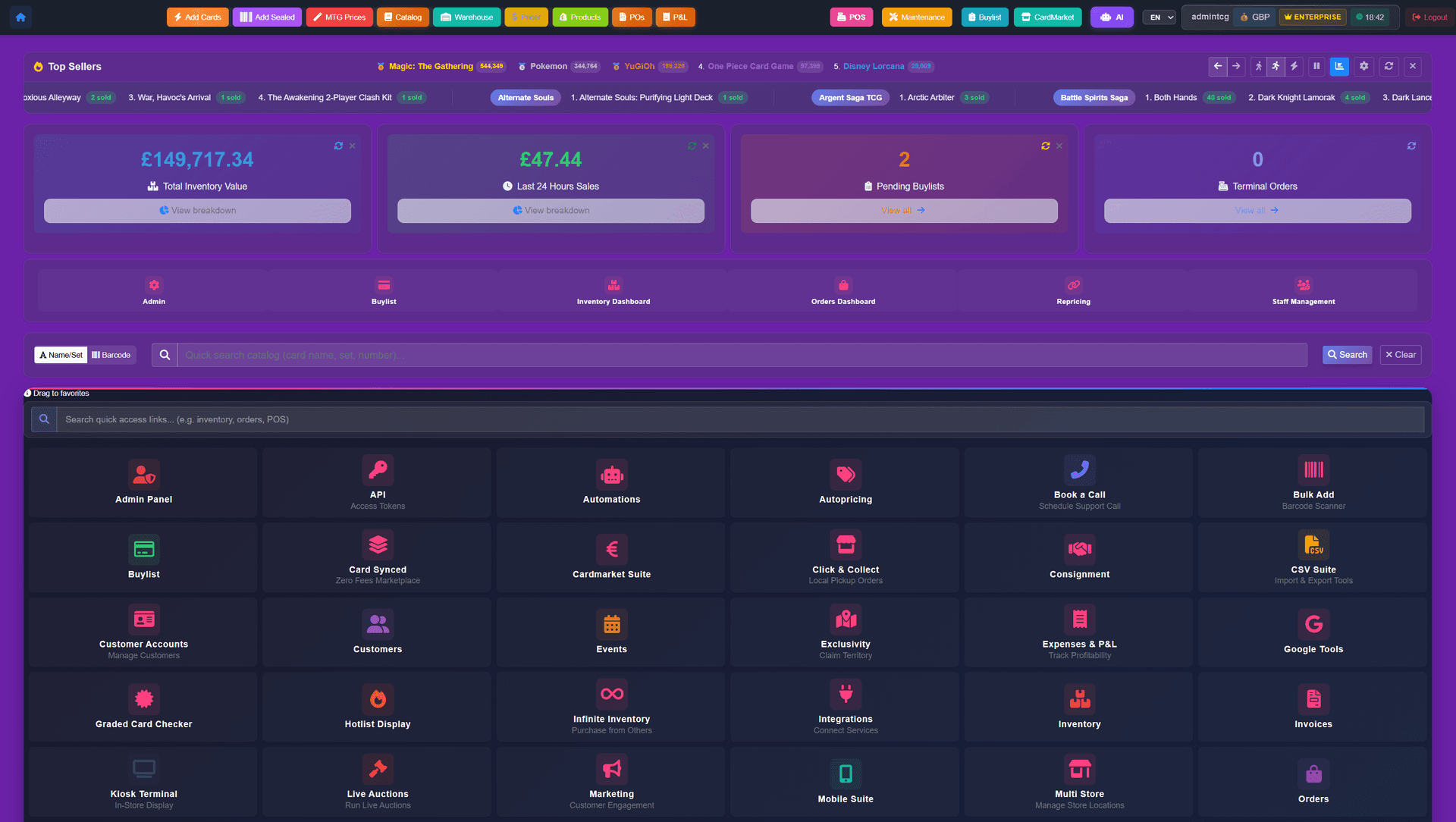
TCG Sync admin dashboard showing orders, revenue, live activity, and operational tools.
TCG Sync admin dashboard showing orders, revenue, live activity, inventory tools, and connected store operations.
The Pokemon POS is the in-store half of TCG Sync: scanning singles and sealed at the counter, enforcing per-customer limits on drop days, selling graded slabs by certificate, taking trade-ins at the till, split tenders across cash, card and store credit, receipt printing, cash-drawer reconciliation, and per-staff logins. The online catalogue, pre-orders and marketplace listings are covered on the Pokemon stores page.
At the counter

The queue, the drawer and the locked case

Generic retail tills were not designed for a release-day queue, a four-figure slab, and a shoebox of trade-ins arriving inside the same hour. These are the counter workflows.

Limits enforced at the register

Per-customer caps on hot sealed apply at the till, not only online. Staff pull up the customer account, the POS shows what they have already taken during this drop, and the second box is blocked before the queue notices.

Graded slabs sold from the case

PSA, BGS and CGC copies are individual stock records carrying their certificate number and their own price, so a slab sold from the locked case leaves inventory the moment it is rung through.

Trade-in intake at the till

Grade the stack with the customer watching, apply your rate card by condition and category, then pay notes from the drawer or push store credit onto their account. Accepted cards become sellable stock without re-entry.

Camera intake behind the counter

Point a phone at a stack, confirm set and condition, and push the cards into inventory or a buylist submission. Nothing is typed between the binder and the shelf.

Cash drawer and close-down

Cash tenders open the drawer, receipts print or email, and the close-down report reconciles takings, refunds, credit issued and buylist payouts before staff lock up.

Staff logins and permissions

Each till signs in per staff member, so discounts, refunds, price overrides and accepted trade-ins are attributable, with permissions set by role.

FAQ

Frequently asked questions

How are release-day limits enforced at the till?
The customer account carries their allocation for that product, so the counter blocks a second box the same way the website blocks a second order. A manager can override with a reason, and the override is written to the log.
Can I sell graded slabs through the POS?
Yes. Each slab is an individual stock record with its certificate number, grade and price, so selling one from the display case removes exactly that copy rather than decrementing a generic quantity.
What hardware does the counter need?
A tablet or desktop browser, a barcode scanner, a receipt printer and a cash drawer. We confirm which models you should buy during onboarding rather than after you have spent the money.
Does the till handle cash, card and store credit on one sale?
Yes. A split tender across all three is one transaction, one receipt, and one line in the end-of-day report.
Packages

Survive the next drop morning

Limits held at the register, slabs tracked by certificate, trade-ins paid from the drawer, and a till that reconciles at close. Opening a new shop or selling under about $1.5M a year in TCG? Storefront Pro is usually the right place to start — same software, no monthly fee.

  • Flagship package

    Enterprise

    Starting from$2,499USD per month

    No setup fee and no sales percentage

    Discuss Enterprise
  • Tailored package

    Custom

    Let’s discuss itScoped around your business

    Scope and pricing agreed together

    Let’s discuss it

Email us about your store and we'll take it from there.

Related

Explore the neighbouring pages

Related topics, running on the same platform underneath.

Card scanning

Camera intake for the stacks that arrive behind the counter.

Store credit

What happens to a trade-in payout once it lands on the customer account.