Pricing
Costs before you start.
This page is a screenshot-driven walkthrough of TCG Sync — storefront, catalogue, buylist credit, deckbuilder, events, and the owner dashboard — plus a live example store at omggames.ca you can inspect before starting. No call needed to look around — and if you'd like one, we can book a Zoom call.
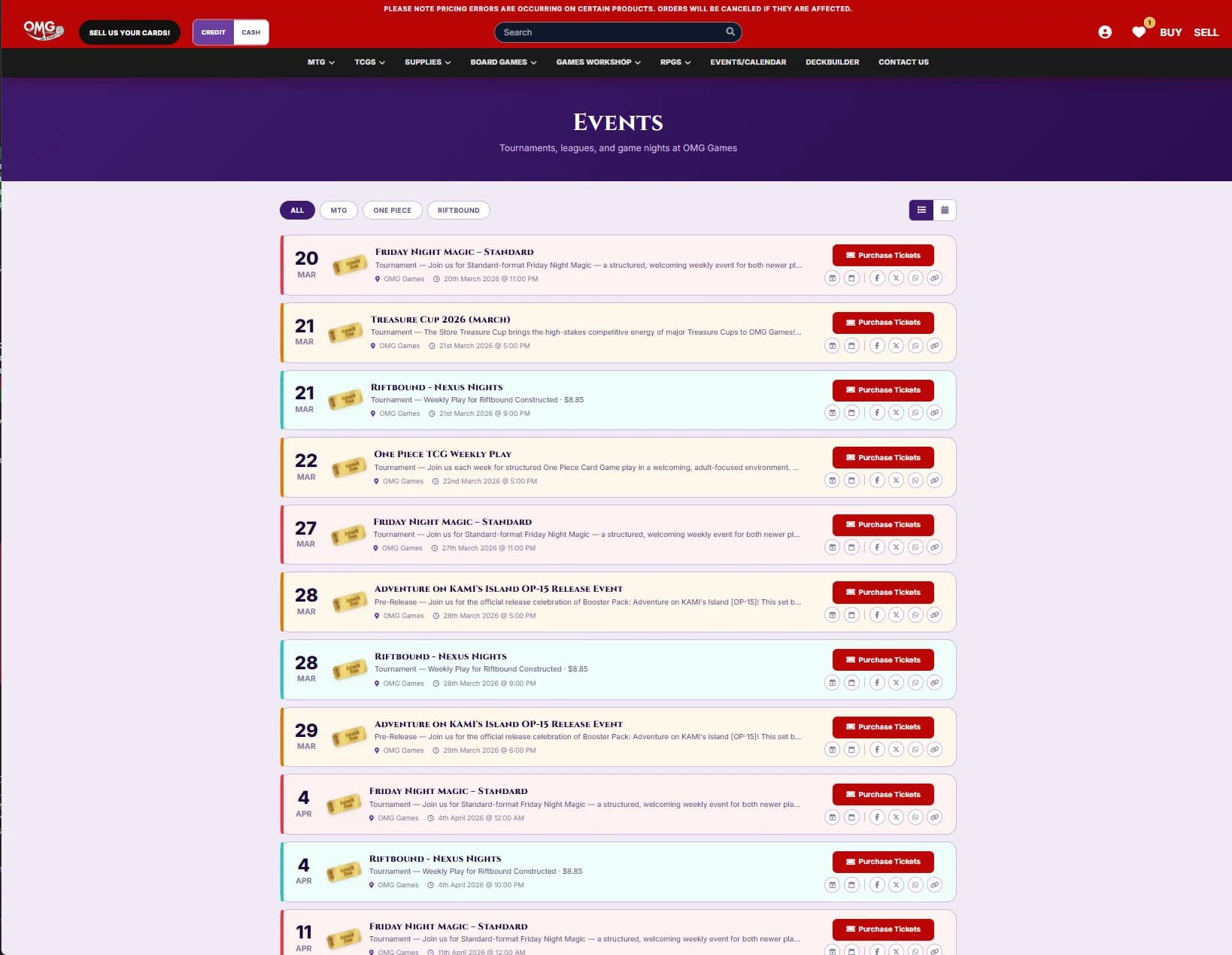
Start with the flows that affect revenue and staff confidence: storefront, catalogue, buylist credit, events, deckbuilder, marketplace sync, and the owner dashboard.
Review search, product grids, condition variants, saved carts, customer account paths, and checkout on the live example storefront.
Check how condition variants, sealed product, and store credit fit the same inventory model used by the online catalogue.
Look at how sell-to-us offers sit beside product pages, giving customers a clear path from trade-in value to store credit.
Use the catalogue and dashboard views to understand how pricing rules feed customer-facing prices and connected channels.
See CardNexus, Cardmarket, eBay, TCGplayer, Cardtrader, and Mana Pool as channels fed from one inventory, with Shopify as the source of truth and CardSynced pricing data alongside.
Show orders, revenue, live activity, inventory alerts, and the place staff use every day.
Large product screenshots from the dashboard and the current public example store.
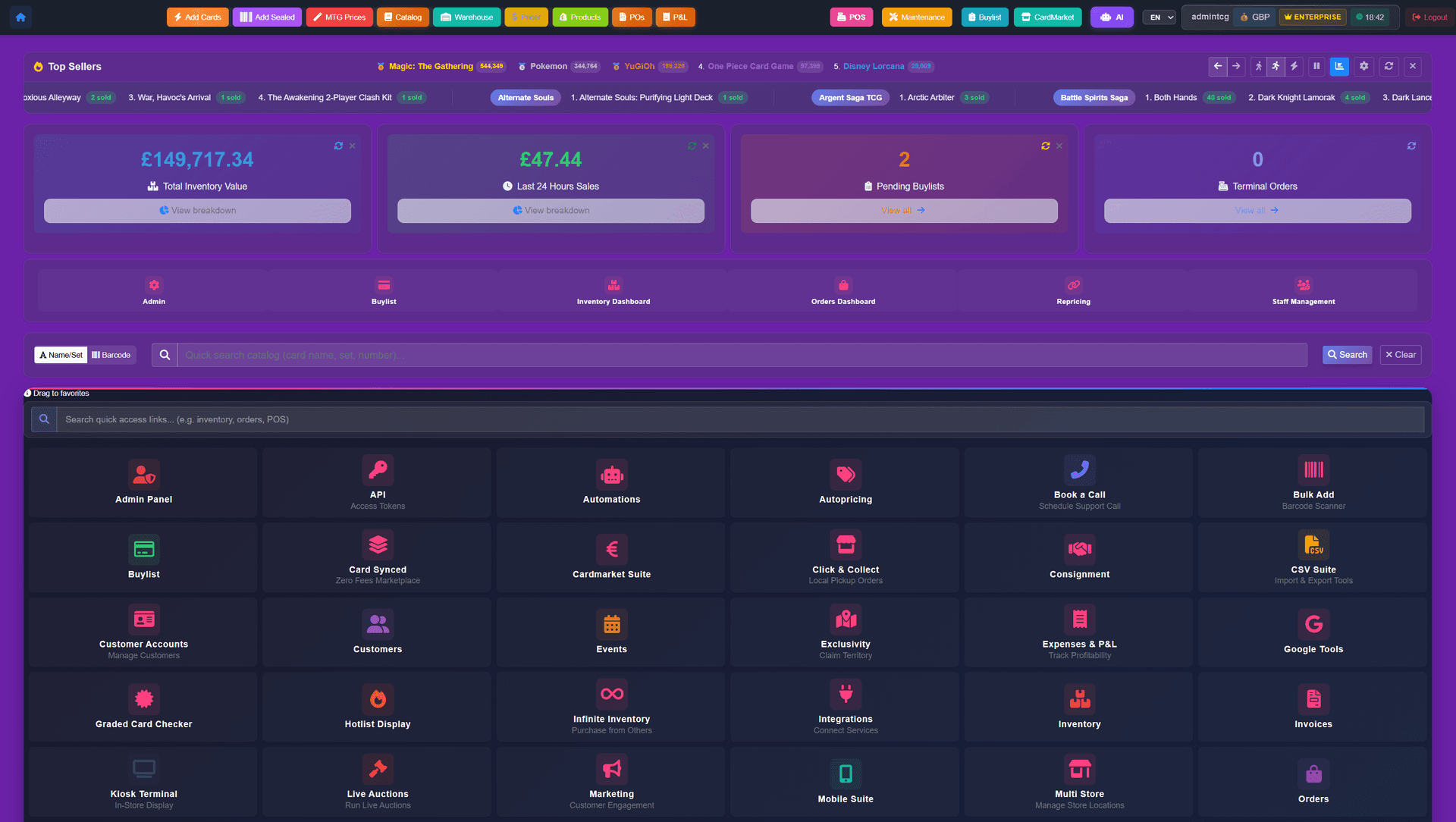
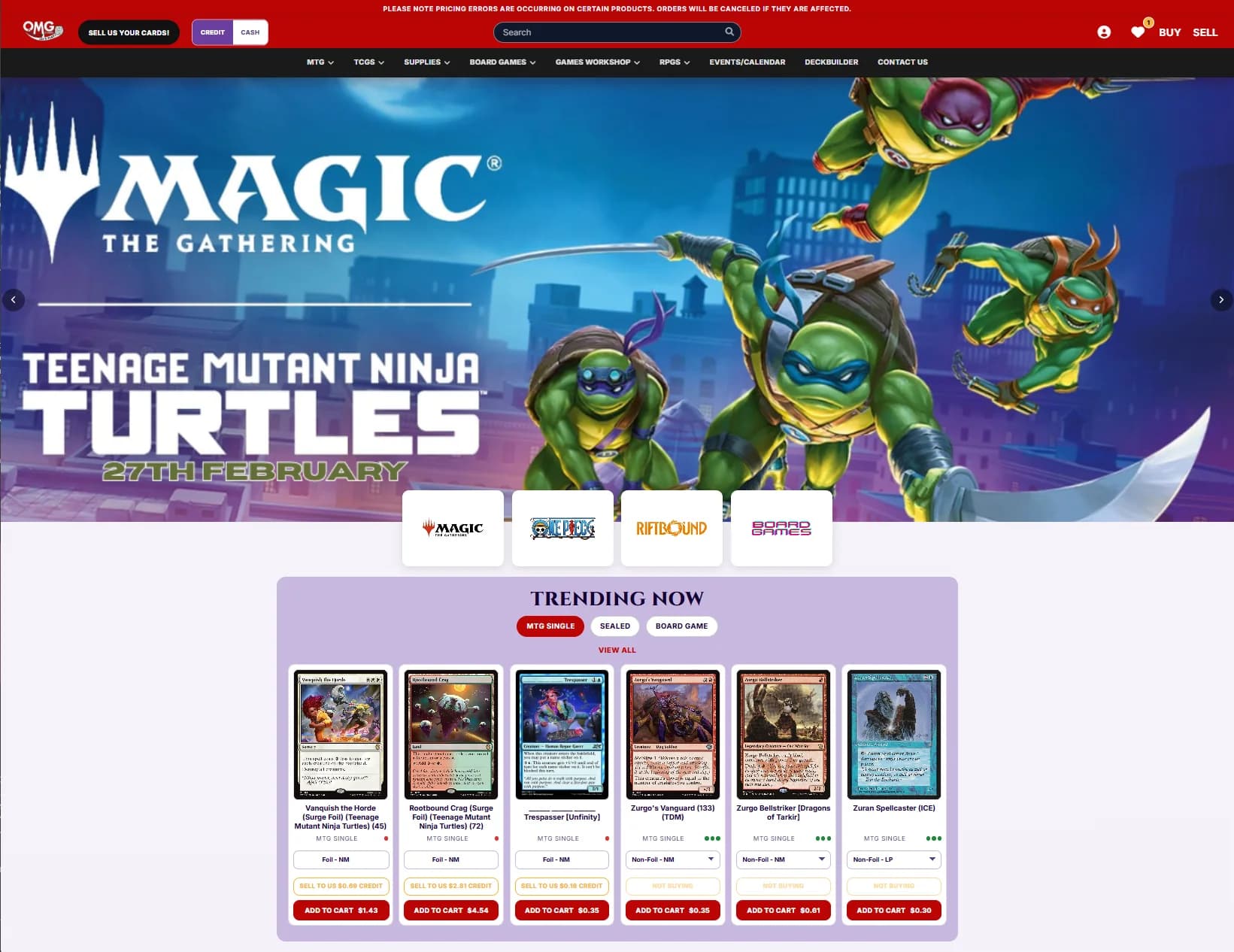
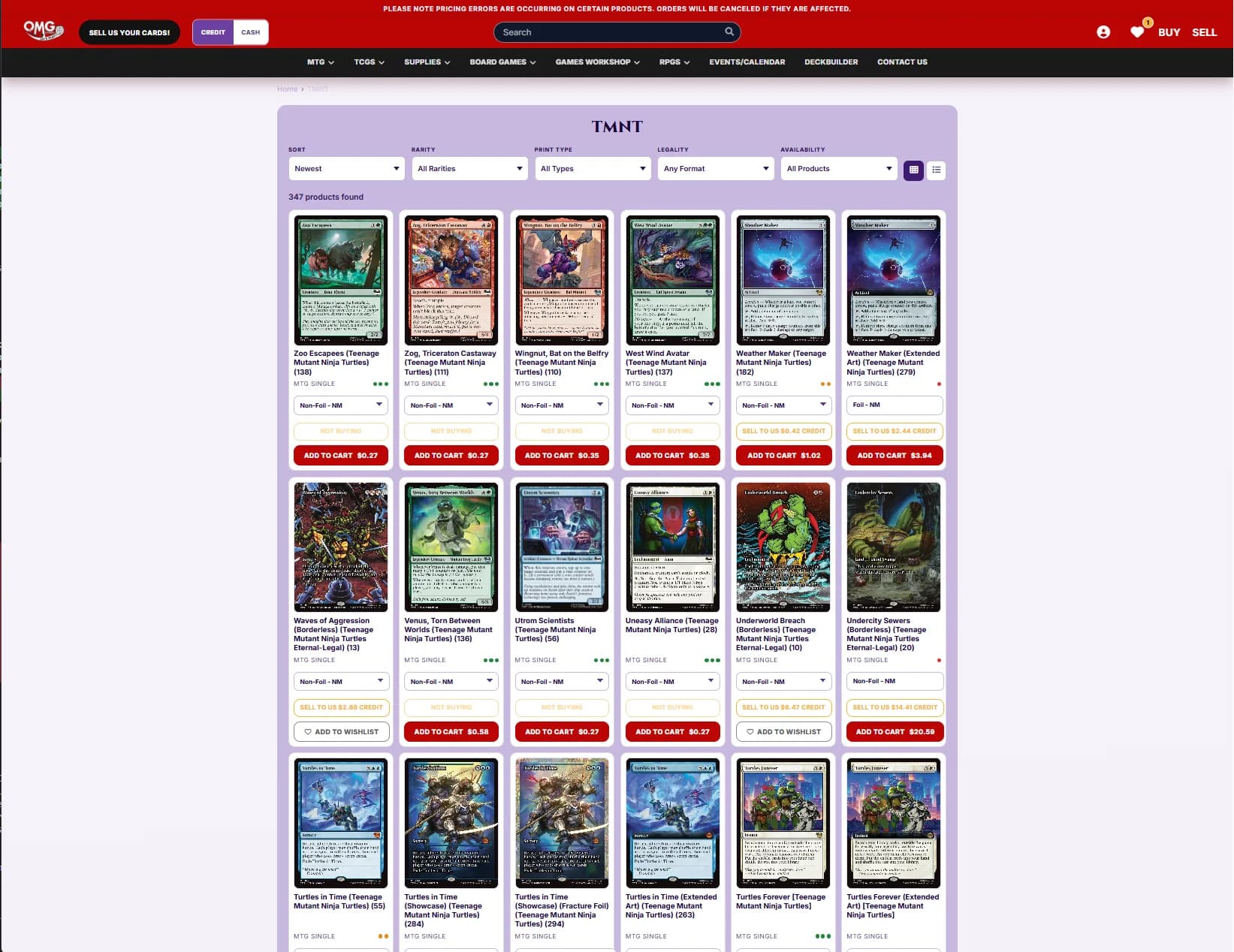
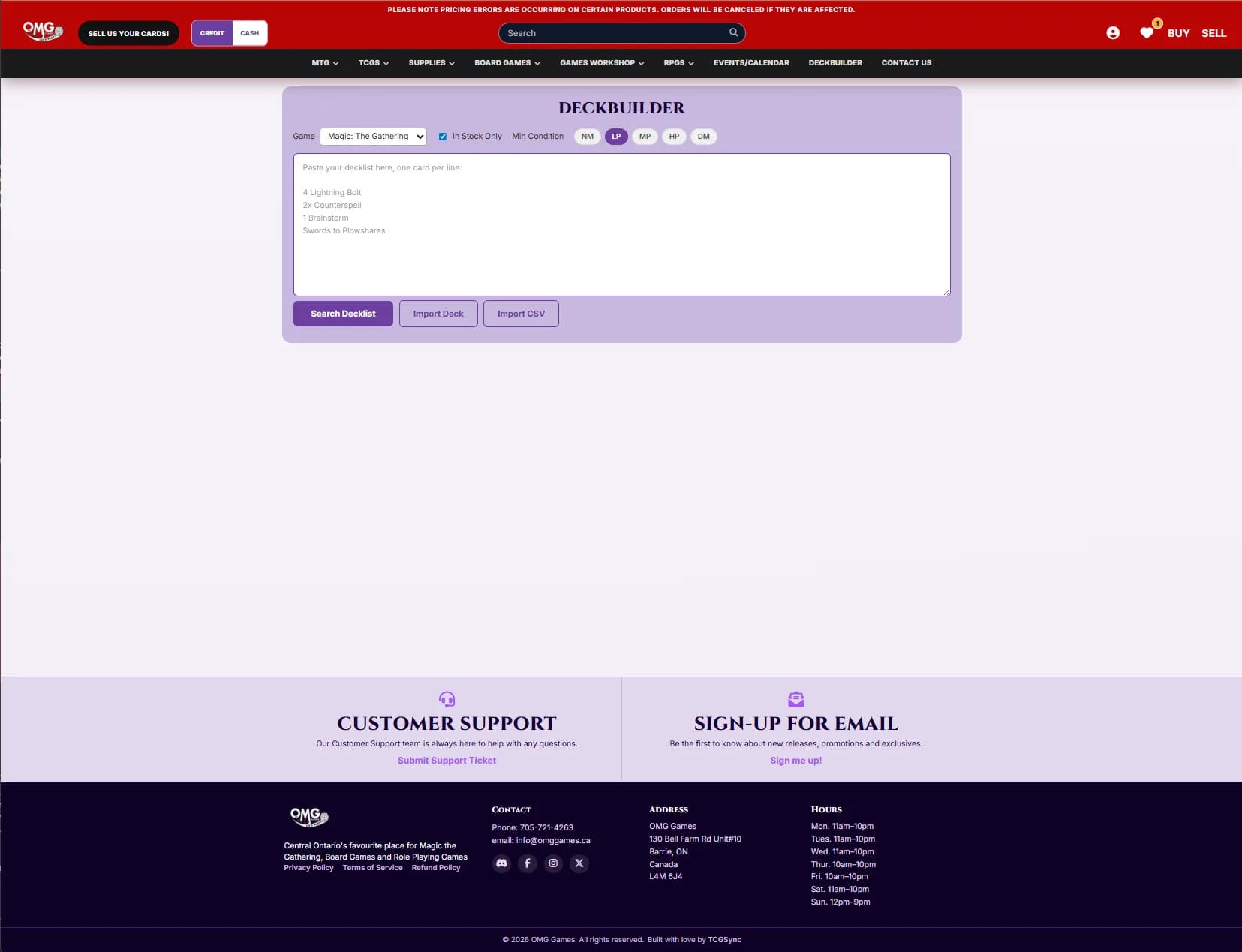
Review the screenshots and the live example site at omggames.ca, then email us when you are ready to talk about your store. Opening a new shop or selling under about $1.5M a year in TCG? Storefront Pro is usually the right place to start — same software, no monthly fee.
Starting from$2,499USD per month
No setup fee and no sales percentage
Discuss Enterprise$1,000USD one-time setup
+ 2% of TCG singles and sealed sales across POS, Shopify and marketplaces — comics, board games, accessories, drinks, toys and other non-TCG items are excluded
Start with Storefront ProLet’s discuss itScoped around your business
Scope and pricing agreed together
Let’s discuss itEmail us about your store and we'll take it from there.
Related topics, running on the same platform underneath.
Costs before you start.
Why BinderPOS owners are comparing migration paths.
A store running on TCG Sync, with screenshots of its storefront and workflows.
How pricing rules behave.
How credit works across POS and storefront.
Where self-serve workflows fit.