vs SortSwift

SortSwift alternative: TCG Sync vs SortSwift

SortSwift publishes a comparison page against TCG Sync. It contains a number of claims about what TCG Sync does and doesn't do that aren't accurate — we'd rather customers saw the honest version. Here's the real feature-for-feature comparison, plus where SortSwift genuinely wins.

Live example

Store running on TCG Sync

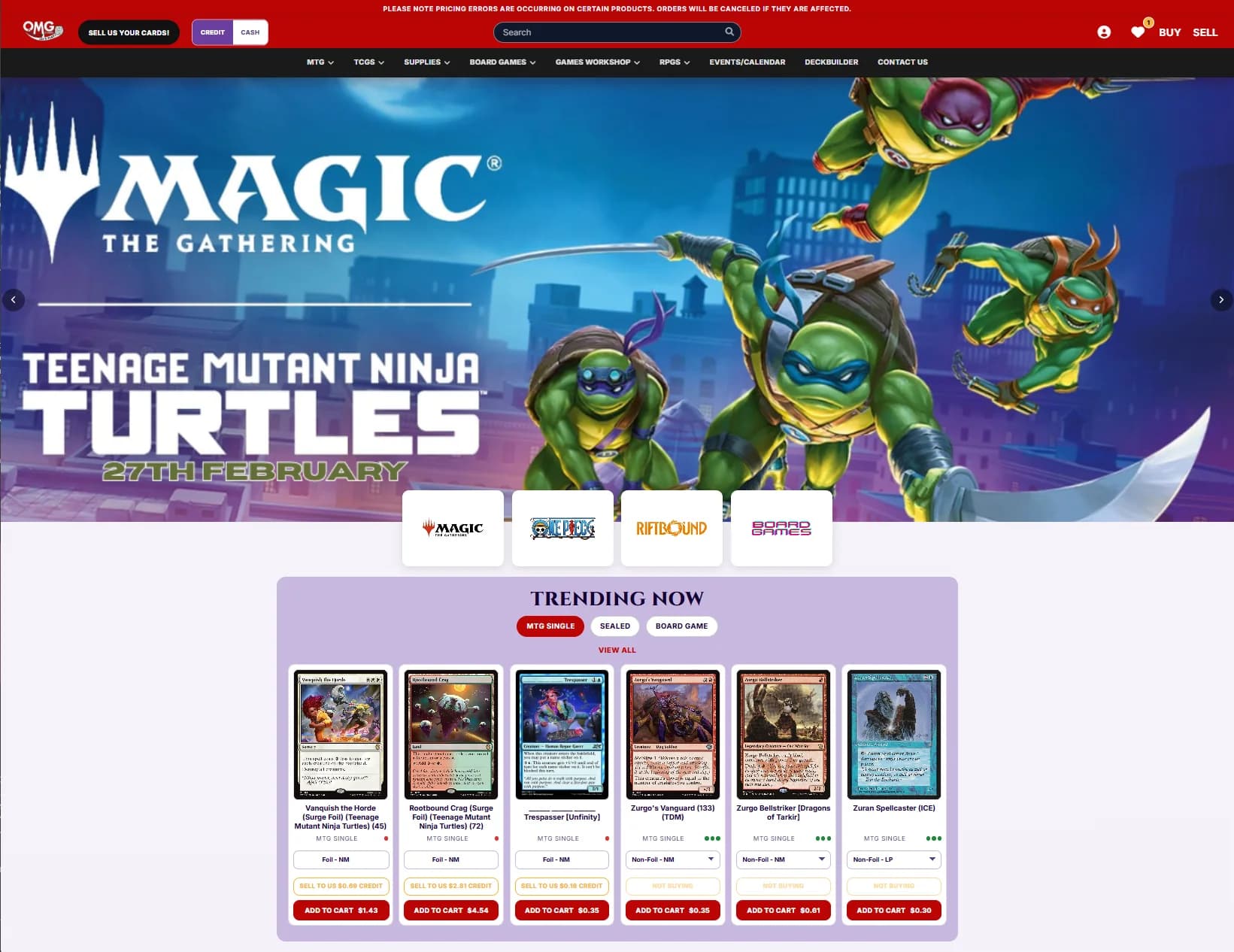
OMG Games is the current public Storefront Pro example: a live card-store catalogue with buylist, credit, deckbuilder, events, and checkout workflows.

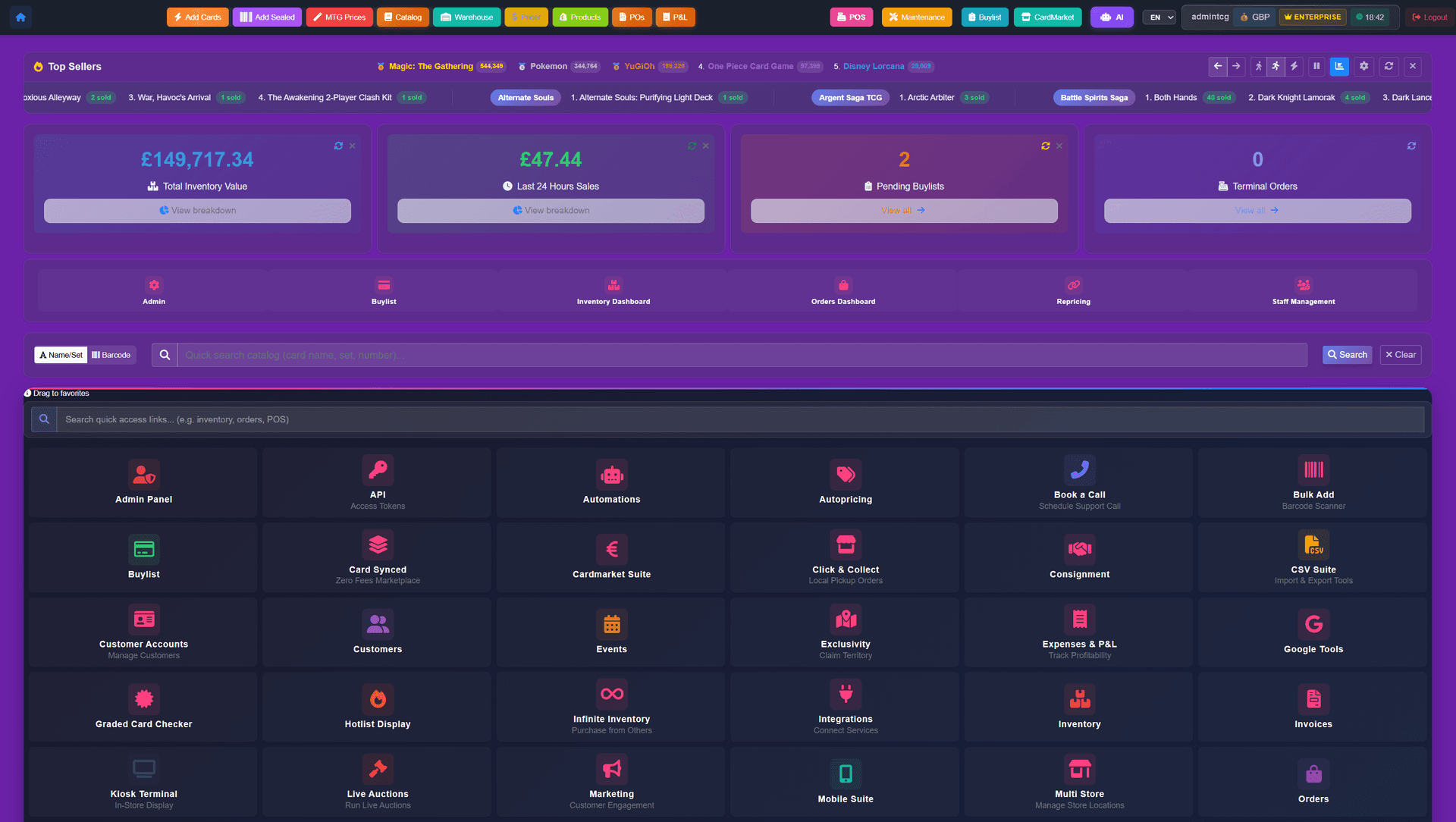
Storefront Pro dashboard showing orders, revenue, inventory, and connected operations.
Storefront Pro admin dashboard showing the operational view behind POS, storefront, buylist, inventory, and marketplace sync.
Bottom line

SortSwift is a capable platform. But their comparison page isn't accurate.

On the numbers, Storefront Pro covers more surface area: deckbuilder, live auctions, live streaming, native mobile apps, a bundled website theme, and seven marketplace connectors. SortSwift has strong sorting hardware and a focused workflow — we respect that. But if you've seen their comparison page, most of the 'no' marks against TCG Sync are wrong. Our job here is just to put the facts on one page.

SortSwift alternative guide

What SortSwift shops usually want to know before switching

Direct answers for the searches store owners are actually making: alternative, replacement, migration, and pricing. Worth reading before you decide.

Best SortSwift alternative for card shops

Stores comparing SortSwift alternatives in 2026 usually need the customer-facing side SortSwift doesn't ship: a hosted storefront, deckbuilder, live auctions, and native mobile apps. TCG Sync Storefront Pro includes all of that alongside the back-of-house tools — scanning, autopricing, buylist, and marketplace sync — in one platform.

SortSwift replacement without bringing your own store

SortSwift plugs into an external Shopify or Square store; the customer-facing site is yours to build and pay for separately. As a SortSwift replacement, Storefront Pro ships the storefront, checkout, and theme as part of the platform — no separate storefront subscription to maintain.

SortSwift review claims, checked

SortSwift publishes a comparison page about TCG Sync that marks features as missing which actually ship in every Storefront Pro deployment. The feature matrix on this page is the corrected, verifiable version — and where SortSwift genuinely wins, like physical sorting hardware, we say so plainly.

Feature matrix

TCG Sync vs SortSwift — feature-for-feature

A straight matrix of what each platform ships, so you can decide whether Storefront Pro is the right fit before starting. Partial means the feature exists but is limited, add-on, or third-party. Edit requests to john@tcgsync.com.

FeatureTCG Sync - Storefront ProSortSwift
Full online storefront (custom domain, theme)SortSwift integrates with external storefronts; Storefront Pro ships one.YesPartial
Built-in POSYesYes
Buylist (online + at the till)YesYes
Automated buylist pricing rulesYesYes
1Cart buy-and-sell checkoutYesNo
Deckbuilder (paste decklist → one-click cart)YesNo
MTGGoldfish / Moxfield importYesNo
Live auctionsYesNo
Live streaming to your storeYesNo
Native iOS & Android mobile appsYesNo
Events & tournaments (FNM, pre-release, OTS)YesPartial
Card recognition (camera scan)YesYes
Autopricing vs TCGplayer / Cardmarket / eBayYesYes
CardNexus syncTCG Sync connects through the CardNexus Public API for mapped inventory, listings, and sales.Yes
Cardmarket sync (API)YesPartial
eBay syncYesYes
Cardtrader syncYesNo
Mana Pool syncYesNo
CardSynced syncYesNo
Shopify channel integrationYesYes
In-store kiosksYesYes
Physical card-sorter hardware (Super Sorter)Their strongest differentiator.NoYes
70+ TCG catalogues built inYesPartial
Japanese / OCG cataloguesYesPartial
Graded card handling (PSA/BGS/CGC)YesPartial
Bundled website theme (redesigned during onboarding)YesNo
Flat pricing — no per-terminal feesYesPartial
Migration from BinderPOS / Crystal / StorepassYesYes
48-hour onboarding after kickoffYesPartial
Cost comparison

Top package vs top package: Enterprise vs Core Max

Both top tiers charge 0% commission — the honest difference is scope, not fees. Prices and feature states from sortswift.com/pricing, July 2026.

ScenarioTCG Sync - Storefront ProSortSwift Core MaxHow to read it
Top-tier priceEnterprise: starting from $2,499 USD/month$499/month — their highest tier (≈ $5,988 over 12 months)SortSwift is genuinely cheaper on flat cost. The comparison that matters is what each top tier actually covers.
Sales fees at the top tier0% — keep 100% of every transaction0% commission on POS and synced marketplacesMarketplace and payment-processor fees apply on both platforms — set by those platforms, not the software.
Hosted storefront includedYes — full storefront, checkout, theme, and native mobile apps includedNo — you bring your own Shopify or Square storeCore Max is an inventory, pricing, scanning, sync, and POS stack; the customer-facing store is external.
Coverage at the top tierEvery feature we offer, with new releases included at no extra costUnlimited autopricing and high-accuracy scanning plus eBay sync; events and consignment listed as beta; no Cardmarket connectorSix synced channels on SortSwift (Shopify, eBay, TCGplayer, CardTrader, ManaPool, Square) — Cardmarket absent matters for European singles volume.
Where SortSwift wins

Honest points in SortSwift's favour

If your shop would be better served by SortSwift, we'd rather you find out here before onboarding. These are the points where they genuinely outperform us.

Physical sorting hardware

SortSwift's Super Sorter and chaos-sorting hardware are genuinely impressive. If your operation is dominated by physical bulk sorting of singles, they have a head start on the hardware side. Storefront Pro is software-plus-camera-scanning — fast enough for most shops, but not purpose-built sorting hardware.

Long-standing sorting focus

They've been iterating on one problem (intake efficiency) for longer than most. Their tooling around bulk intake is refined.

Where Storefront Pro wins

Where we genuinely out-cover SortSwift

Structural differences, not marketing spin — every point is verifiable. Read it before you start, so you know exactly what you'd be buying into.

The customer-facing side

SortSwift is strongest at the back-of-house. Storefront Pro is equally strong at the back of house (autopricing, buylist automation, card scanning, marketplace sync) — and adds a full customer-facing storefront, deckbuilder, live auctions, live streaming, and native mobile apps. That's the side that actually drives sales.

Deckbuilder AOV driver

The deckbuilder — paste a decklist, one-click the cart — is the single biggest AOV driver we see across all merchants. SortSwift doesn't have one. For MTG, Pokemon, Yu-Gi-Oh!, One Piece, and Lorcana stores this is load-bearing.

More marketplace connectors

Seven native marketplace integrations (TCGplayer, Cardmarket, eBay, Cardtrader, Mana Pool, CardSynced, Shopify) vs a narrower set on SortSwift.

Storefront Pro theme bundled

Every Storefront Pro merchant gets the redesigned Storefront Pro theme included — no separate theme subscription, no third-party designer bills.

Live auctions and live streaming

Neither is supported natively on SortSwift. Both are baked into every Storefront Pro deployment.

Pricing

Price: $1,000 USD setup + 2% on TCG item sales — vs SortSwift's subscription

SortSwift runs on a subscription model. Storefront Pro is $1,000 USD setup + 2% only on TCG item sales — most stores' lowest-cost option because non-TCG items carry no TCG Sync percentage fee. For heavier-volume stores or Storepass migrants, Enterprise starts from $2,499 USD/month, with 0% sales fees and branded mobile apps. No per-terminal fees on either. Email john@tcgsync.com to model the actual cost against your current revenue.

Tell us about your current setup and we'll help you choose the right package. All published pricing is billed in USD: Storefront Pro is $1,000 USD setup + 2% on TCG item sales, and Enterprise starts from $2,499 USD/month with 0% sales fees. Custom packages are scoped separately.

Thinking longer term? Read how to future-proof your card store and how onboarding and support work.

FAQ

Frequently asked questions

Why does SortSwift's comparison page say TCG Sync doesn't have features we actually have?
You'd have to ask them. We can't speak to their process. What we can do is put the facts in one place — which is what this page is. If you find a claim on their page you want us to address specifically, email john@tcgsync.com.
Is SortSwift's hardware worth choosing them over Storefront Pro?
If your daily operation is dominated by bulk singles sorting and you can't staff around it, their hardware is a genuine advantage. If your operation is closer to normal card-shop retail (online store, POS, buylist, events, marketplaces), Storefront Pro covers more of your surface area.
Can I use both?
Technically yes. SortSwift hardware on the sorting bench, Storefront Pro for storefront, POS, buylist, events, and marketplaces. Not a common setup but the data flows are compatible via CSV or API.
How much does TCG Sync cost compared?
Four options. Vendor-only is $19.99 USD/month for sellers who mainly vend at trade shows and need inventory, repricing, graded cards, and buylist tools. Storefront Pro is $1,000 USD one-time setup + 2% only on TCG item sales — Singles and Sealed, not the rest of your catalogue. New stores can start through the onboarding portal. Enterprise starts from $2,499 USD/month, with 0% sales fees and branded iOS & Android apps included. Enterprise also includes a dedicated support team, a direct line to the TCG Sync founders, and a VIP Discord server separate from the public community — none of which are part of standard Storefront Pro. Custom packages are scoped around tailored requirements; email omar@tcgsync.com to book a discovery call. No per-terminal licensing. Storefront Pro and Enterprise plug into your existing website if you don't want to switch storefronts. Email john@tcgsync.com to model 12-month total cost against your actual revenue.
What does migration actually look like?
Our team handles the migration end-to-end. Inventory with conditions, customer accounts, store credit balances, buylist history, and order history import during onboarding. Fully live within 48 hours after kickoff. Migration is included in the $1,000 USD setup — no surprise fees.