Price-check mode
Customers can search a card and see the retail or buylist view your store enables for that kiosk workflow.
A kiosk is a customer-facing screen in your shop. Customers can price-check cards, start a buylist submission, look up a deck, or sign into an event while staff keep the till moving.
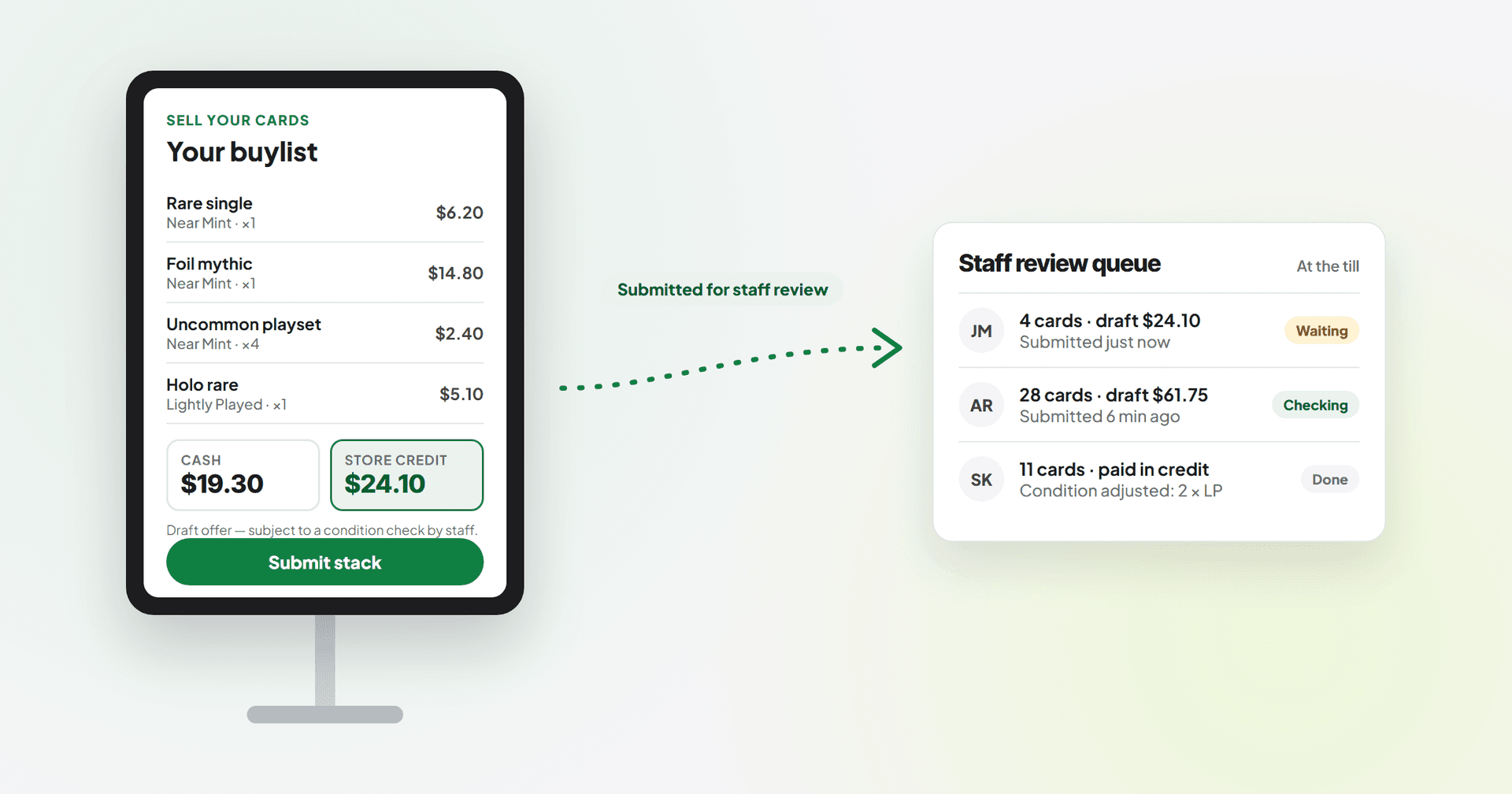
A kiosk should shorten the queue, not hand out unchecked payouts. TCG Sync keeps kiosk buylist activity tied to staff verification, condition checks, and till payout.
Customers can search a card and see the retail or buylist view your store enables for that kiosk workflow.
Customer scans or types cards, sees a live cash and credit offer, submits the stack, and creates a staff review queue for condition verification.
A player can paste or search a decklist, then turn wanted cards into a cart or staff pull sheet where enabled.
Players can check into FNM, pre-release, league, or other events without blocking the retail till.
Start with ordinary shop hardware: a modern tablet or desktop browser. Scanner, printer, and stand choices should be checked during onboarding before you buy equipment.
During Friday Night Magic, the kiosk handles lookups and intake starts while staff keep selling sleeves, entries, drinks, and sealed.
A kiosk can make intake calmer without letting unverified cards become paid inventory.
TCG Sync gives customers a self-serve starting point while staff keep approval, condition grading, and payout control.
Starting from$2,499USD per month
No setup fee and no sales percentage
Discuss Enterprise$1,000USD one-time setup
+ 2% of TCG singles and sealed sales across POS, Shopify and marketplaces — comics, board games, accessories, drinks, toys and other non-TCG items are excluded
Get started with Storefront ProLet’s discuss itScoped around your business
Scope and pricing agreed together
Let’s discuss itEmail us about your store and we'll take it from there.
Related topics, running on the same platform underneath.
Enterprise and Storefront Pro pricing, with a worked example.
Why migration planning matters for shop-floor tools.
Rules that power kiosk price checks.
How kiosk buylist payouts become customer credit.
Keep customer workflows under your store's control.
See where kiosk workflows fit with POS and buylist.